



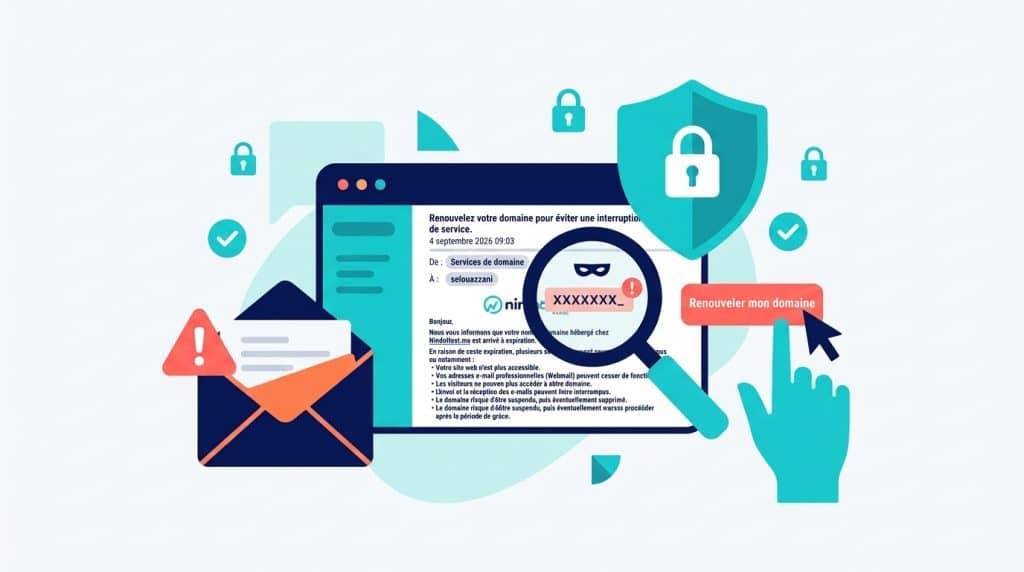
Picture the scene. You open your email one morning. A message from “Nindohost” is waiting for you—complete with a logo, a familiar layout, and a professional tone. It mentions your account, an urgent action you need to take, and a link to click. Nothing seems out of the ordinary.
And yet, this message isn't from us.
What's Happening Right Now
In recent days, a phishing campaign has been impersonating Nindohost in an attempt to trick our customers. The most common tactic right now is a fake message claiming that your domain name has expired, along with a link to “renew” it. The people behind this scam have copied our name, logo, and brand identity—sometimes with deceptive precision—for one purpose only: to trick you into clicking a link, sharing sensitive information, or making a payment outside of our official channels.
This is the kind of message that plays on trust. You know Nindohost, you trust us, so you don't immediately become suspicious. That's exactly what scammers are counting on.
And that’s the real problem: an email can look perfectly authentic and still be a fake. The logo may be identical. The layout may be polished. The tone may be credible. Appearances alone never prove anything.
1. Check the sender's exact address, not the name displayed
The displayed name doesn't prove anything. A fake message might say "Nindohost" even though it comes from an address like nindohost-secure.xyz or nindohost-support.net. Our only official domains are nindohost.ma and nindohost.com—if even a single character in the address is different, it's a fake.
For example, one detail was spotted in one of the fraudulent messages currently circulating: the spelling “NindoHost” instead of “Nindohost.” This is a useful clue, but it’s not a guarantee on its own—always check the full address.
2. Check to see if the message really applies to you
A genuine message from us will include specific information about you: the exact domain name and its actual expiration date. A fraudulent email is usually vague and lacks these personalized details.
3. Be wary of urgency and threats
“Respond within 24 hours or your account will be deleted,” “Pay immediately”… Pressure and fear are phishing’s number one weapons. A legitimate request from us always gives you time to verify the information and respond calmly.
4. Don't just click—go to the source
Never click on links in a suspicious message. Type nindohost.ma into your browser yourself, or go directly to your customer portal. Before entering any information, check the URL displayed and make sure the HTTPS padlock is present.
5. Look for other warning signs
- ✗ Spelling errors or unusual phrasing
- ✗ Unusual or out-of-context request
- ✗ Reply address that has nothing to do with Nindohost
- ✗ An attachment you weren't expecting
If, after these five checks, you still have doubts, a few additional details might tip you off.
What Nindohost Will Never Ask You
Let's go back to our opening scene. That morning, if the message asks for your password, a one-time password (OTP), your credit card number or security code (CVV), a payment via a link, or to upload your documents via email or text message, you already know the answer.
Nindohost never asks you to do that. These actions can only be performed from your customer portal, never through an external link.
What if the doubt persists?
In this case, the rule is simple: don’t reply, don’t click. Contact us directly through our official channels to verify the authenticity of the message. It only takes a few minutes to get a clear answer, and that’s always better than having your account compromised.
In summary
"When in doubt, don't click. Check the source."
- ✓ Check the sender's exact address, not just the name displayed
- ✓ No legitimate emergency is putting pressure on you
- ✓ Nindohost never asks for passwords, codes, or payments via email
- ✓ Always go through nindohost.ma or your customer portal
- ✓ Have a question? Contact us directly, anytime
Not sure about a message you received?
If you have received a suspicious message on our behalf, please contact us directly to verify it.
Contact Nindohost
Call 0802 08 08 08
Or submit a ticket at [email protected]

Israe guides Nindohost readers through practical guides on web hosting, domain names, and website management. Its approach: to explain technical concepts in simple terms so that everyone can manage their web project with confidence, regardless of their skill level.


