



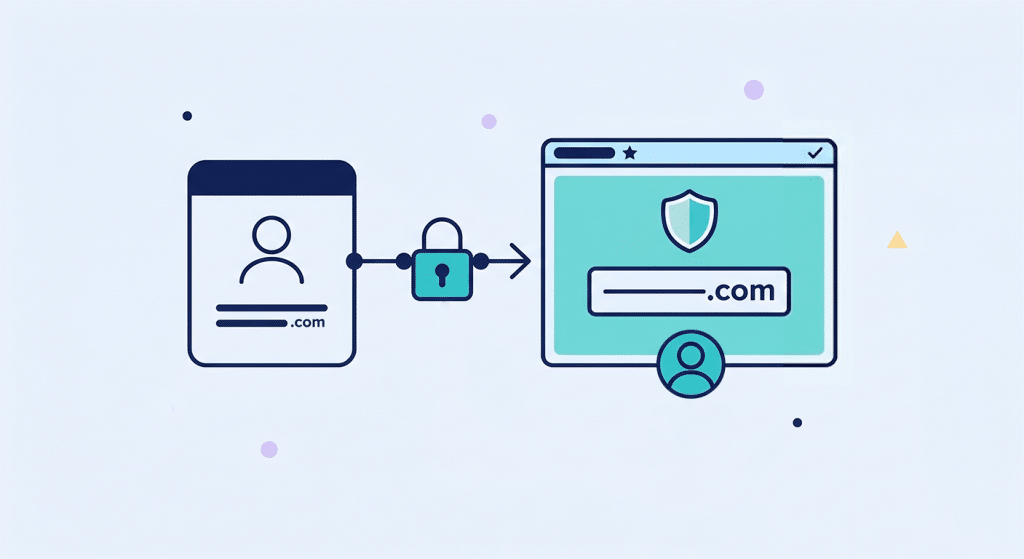
Transferring a domain name is an essential process for many businesses and individuals who want to improve their online presence. In this guide, we walk you through the different steps involved in transferring a domain name, with practical advice to ensure a smooth transition. For an overview of domain name management, see our practical guide to domain names in Morocco.
Summary
Why migrate your domain name?
There are several valid reasons why you might consider migrating your domain name to a new provider.
- Performance: Some registrars offer better performance for your website, particularly in terms of loading speed, stability, and DNS server availability.
- Renewal: Changing your domain name provider may allow you to renew your domain name for a longer period at a better rate, which is beneficial for SEO and the continuity of your online presence.
- Compatibility: if you change your content management system (CMS) or web host, you may need to migrate your domain name to ensure optimal compatibility with your new technical environment. To choose a web host that is right for your project, see our guide to choosing a web host.
- Control: Some providers offer a higher level of control and management of your domain name, with more intuitive interfaces that make it easier to modify and update your DNS settings.
- Security: A more reliable provider may offer enhanced security options, such as WHOIS protection, domain locking, or active monitoring. For more information on this topic, see our guide to domain name protection.
The steps of a domain name transfer
Transferring your domain name may seem daunting, but by following these steps in order, you will be able to do so without any difficulty.
1. Choose your new service provider
When choosing a new registrar, it is important to consider several factors: its reputation, pricing, customer service quality, hosting options, and additional features offered. Take the time to compare offers and read customer reviews to ensure you make the best choice. Our practical guide to web hosting can help you identify the most reliable providers for your project.
2. Prepare to transfer your domain name
Before you can transfer your domain name, perform the following preliminary checks:
- Update your contact information: it will be used to communicate with you throughout the transfer process. Incorrect information may block or delay the transfer.
- Check that your domain name is not locked by a protection measure against theft or unauthorized transfers. If this is the case, you will need to unlock it before initiating the transfer.
- Check transfer eligibility: most registrars impose a 60-day lock period after the initial registration or last transfer. Make sure this period has elapsed.
3. Contact your current provider
Contact your current registrar to inform them of your intention to transfer your domain name. They will be able to provide you with information on the requirements for the transfer, such as the minimum registration period, any necessary documents, and applicable fees.
4. Keep your website data
Before transferring your domain name, be sure to keep a complete copy of all your site data: files, databases, images, and any other elements essential to your site's functionality. This will allow you to quickly restore your site in case of any issues during the transfer. To learn more about effective backup strategies, check out our guide to backing up your data.
5. Configure your new hosting
If you are also changing hosting providers, for example to a host in Morocco, you will need to configure your new hosting before transferring your domain name. This usually involves:
- Create an account with the new host.
- Transfer your files and databases to the new server.
- Configure the DNS settings to point to the new host's servers.
- Test that the site is working properly on the new hosting before switching the DNS.
6. Unlock your domain name
To transfer your domain name, you must first unlock it with your current registrar. This removes protection against unauthorized transfers and allows the new provider to take control of the domain name. You can usually unlock your domain name via your current registrar's control panel, from your online customer account.
7. Obtain the transfer authorization code
The transfer authorization code, also known as an EPP key or auth code, is a unique code that is essential for transferring your domain name. Request this code from your current registrar, usually by email or through their online support. Once you receive it, provide it to your new registrar so they can initiate the transfer. This code is single-use and confidential: only share it with your new registrar.
8. Request the transfer from the new provider
Once your domain name has been unlocked and you have obtained the authorization code, you can officially request the transfer from your new registrar. They will guide you through the steps necessary to complete the transfer, including entering the EPP code and confirming the transaction by email.
How long does it take to transfer a domain name?
The time required to transfer a domain name varies depending on the provider and the domain extension chosen. In general, the transfer can take from a few days to two weeks. During this time, your site may be temporarily less accessible. It is therefore important to:
- Plan ahead for the transfer by scheduling it during a period of low activity on your site to minimize the impact on your visitors.
- Communicate with your customers to inform them of ongoing maintenance if your site is used intensively.
- Set up temporary redirects if necessary to avoid any loss of traffic or reputation during the transition period.
- Carefully monitor the process and contact the support services of both registrars involved if you encounter any difficulties. The support teams are there to help you successfully complete your migration.
By following these steps methodically and being well prepared, you will be able to successfully migrate your domain name with minimal disruption to your website. You will then be able to take full advantage of the benefits offered by your new provider and ensure the continuity of your online presence. If you also want to protect your domain in the long term after the transfer, our guide to domain name protection will give you all the keys to securing your investment.
Check out our guide to :
- Domain names in Morocco: a practical guide to everything about domain names
- Choosing a domain name: how to find a relevant domain name?
- Choose a domain name extension
- Domain name Morocco: how and why to choose a .ma domain?
- Domain name redemption: why and how to purchase an expired domain name?
- Protecting a domain name: how to secure your domain name?
- Web hosting: a practical guide to everything you need to know about hosting providers
- How to choose your web host: criteria for choosing your web host
- SSL certificate: secure your website
- Website creation: a comprehensive guide to creating your website
Guide updated: February 2026