



Switching providers doesn't mean starting from scratch. Transferring a domain name is a common procedure that allows you to transfer the management of your domain from one registrar to another without losing your web address or interrupting your online activity.
Whether you're looking for better technical support, more competitive domain prices, or more reliable web hosting , this guide will walk you through every step. Here you’ll find the prerequisites, timelines, necessary codes, and best practices for a fast and secure domain transfer.
Key Takeaways
- A domain name transfer moves the management of your domain from one registrar to another.
- You must unlock the domain and obtain an EPP code (authorization code) before starting the process.
- The transfer usually takes between 1 and 7 days, depending on the domain extension.
- The transfer often includes a one-year domain renewal.
- DNS and email services must be set up in advance to avoid any downtime.
- Nindohost offers comprehensive support with 24/7 assistance for incoming transfers.
Why transfer a domain name to another web host?
There are several reasons why you might want to switch from your current registrar. Here are the most common scenarios and the key difference between a domain transfer and a hosting provider change.
Common scenarios for domain name transfers
Companies often decide to switch registrars in order to consolidate DNS management and hosting with a single provider. Slow customer support, rising prices, or a lack of features (such as SSL and backups) are also common reasons.
Transferring a domain name vs. switching hosting providers: the difference
A domain transfer involves transferring ownership and management of the domain name to a new registrar. A hosting migration, on the other hand, involves moving the website files and databases to another server. The two processes are independent: you can transfer your domain without changing servers, and vice versa.
Before transferring a domain name: prerequisites to check
Before submitting a transfer request, make sure all requirements are met.
Access to the account holder, email, and contact information
Only the domain holder (or legal owner ) can authorize a transfer. The email address associated with the Whois must be valid and accessible, as the confirmation will be sent there.
60-day lockout and lockout statuses
ICANN imposes a 60-day lock on a domain following its recent registration or transfer. During this period, you cannot initiate an outgoing transfer. Also, check that the domain’s status is not set to “clientTransferProhibited.” If it is, you must first unlock the domain through your current registrar’s interface.
Documents and codes required for the transfer
The transfer is based on specific security requirements. Here is what you need.
Definition: EPP (Extensible Provisioning Protocol) Code
The EPP code, also known as the transfer authorization code or auth code, is a unique password generated by your current registrar. It ensures that only the legitimate owner can authorize the transfer of the domain to a new provider. This code is required for most generic top-level domains (.com, .net, .org) and certain country-code top-level domains.
EPP code or authorization code for transferring a domain name
To obtain the EPP code, log in to your current registrar’s customer portal. The code is usually found in the domain management section. Some registrars will send it via email upon request. Please note: this code often has a limited validity period (5 to 14 days, depending on the registrar).
Email verification and process security
The registry sends a confirmation email to the domain owner to validate the incoming transfer. If no response is received within the specified timeframe (usually 5 days), the transfer is canceled. Make sure the Whois email address is up to date and that the message doesn’t end up in the spam folder.
Steps for transferring a domain name without interruption

Follow this three-step domain transfer process for a seamless domain transfer.
Unlock the domain and retrieve the transfer code
- Log in to your current registrar.
- Turn off the domain lock.
- Generate or request the domain's EPP code.
- Write down the code and keep it in a safe place.
Submit the request to the new service provider
Go to your new registrar’s website and look for the “domain transfer” option. Enter your domain name, then enter the EPP code you received. Proceed to payment if necessary (the cost usually includes a one-year renewal).
Transferring your .ma domain name is completely free and does not require any payment method when placing your order. Please note that this process does not trigger automatic renewal; your domain will therefore retain its original expiration date.
Confirm the transfer and track its progress
After the request is submitted, a confirmation email will be sent to the domain owner. Please confirm it promptly to speed up the process. Your previous registrar may also send a notification—please do not decline it. You can track the status of the domain transfer through the new provider’s customer portal.
Timelines, costs, and technical impacts to anticipate
The time and cost of a domain transfer vary depending onthe domain extension and the registrar. Here is an overview.
How long does a domain name transfer take?
| Extension | Transfer time | Renewal included | Transfer fees |
| .com / .net / .org | 5 to 7 days | Yes (1 year or older) | Variable (Renewal fee) |
| .ma | 5 to 10 days | No (unless a specific package is included) | Free or subject to a processing fee |
| .eu | 1 to 5 days | Yes (1 year or older) | Renewal fee |
| .info / .biz | 5 to 7 days | Yes (1 year or older) | Variable (Renewal fee) |
The time it takes to transfer a domain depends mainly on how quickly the domain owner and the previous registrar respond. Be sure to reply to every email promptly to speed up the process.
Why transferring a domain name often involves renewal
For most generic domain extensions, domain renewal is automatically included in the transfer. This means that thedomain’s expiration date is extended by one year from the current expiration date. This is an advantage: the renewal included in the transfer prevents you from having to pay twice.
Avoiding downtime: DNS, website, and email
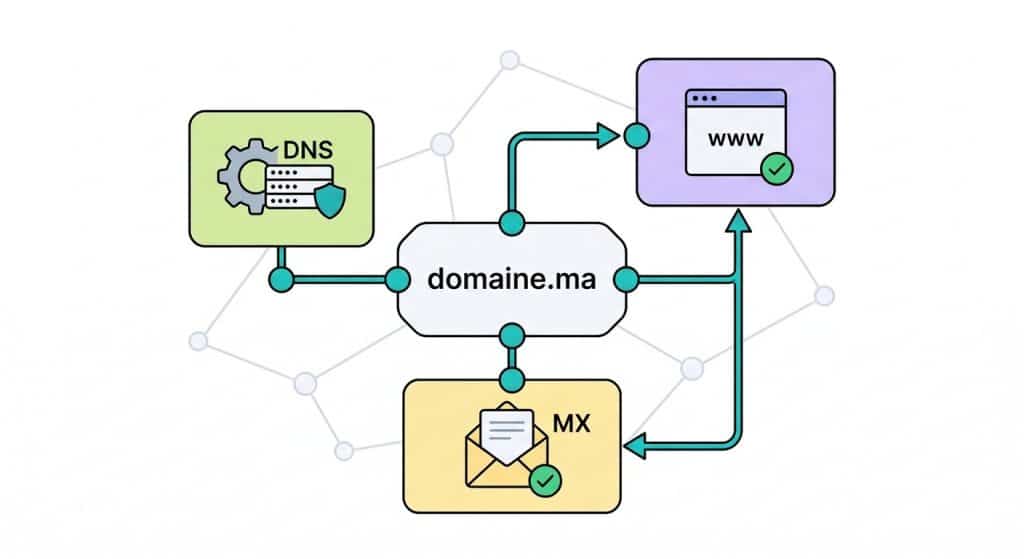
A poorly planned migration can result in the site or email system becoming unavailable. Be prepared for these issues.
Keep the DNS settings during a domain name transfer
Before initiating the transfer, make a note of your current DNS records (A, CNAME, MX, TXT). Once the domain has been transferred to the new registrar, reconfiguring the DNS settings exactly as they were ensures a seamless domain transfer with no disruption to DNS service. DNS propagation after the transfer takes between 1 and 48 hours.
Check MX, SPF, DKIM, and DMARC before the switchover
If you use a business email service, check the MX, SPF, DKIM, and DMARC records before and after the transfer. An error in these settings can prevent you from sending or receiving emails. Enter the exact same values in the DNS zone of the new registrar.
Common Problems and Solutions
Even when well-prepared, a transfer can encounter obstacles. Here are the most common ones.
Transfer declined: most common reasons
- Domain registered or transferred less than 60 days ago.
- Domain is still in locked status (clientTransferProhibited).
- Domain nearingexpiration or already expired.
- Confirmation email not received or not validated within the specified time frame.
- An ongoing dispute or Whois protection is blocking communications.
Invalid EPP code and steps to recover it
If the EPP code is rejected, it may have expired or been entered incorrectly. Go back to your current registrar’s interface to generate a new code. If this option isn’t available, contact your previous provider’s technical support.
Transfer a domain name to Nindohost
Nindohost simplifies incoming data transfers with dedicated support and server infrastructure based in Morocco.
Prepare the domain name transfer with the previous provider
First, unlock your domain and obtain the EPP code from your current registrar. Make sure the domain is not in the 60-day lock period and that the registrant’s email address is up to date in the Whois database.
Finalize the domain registration and configuration with Nindohost
Visit nindohost.ma and submit your transfer request. Enter the EPP code, then confirm. Nindohost’s 24/7 support team will guide you through setting up your DNS, hosting, and email. With data centers in Morocco, hosting performance and CNDP compliance are guaranteed.
FAQ
Answers to the most frequently asked questions about domain name transfers.
How do I transfer a domain name to another web host?
Unlock the domain with your current registrar, retrieve the EPP code, and then submit the transfer request to the new provider. Confirm the verification email to complete the process.
How long does it take to transfer a domain name?
Domain transfers typically take between 5 and 10 days. This is the standard timeframe for country-code top-level domains (ccTLDs) such as .ma, as well as for generic top-level domains (gTLDs) such as .com.
Can you transfer a domain name without changing the DNS settings?
Yes. Transferring a domain does not automatically change the DNS settings. You can keep your current DNS records or reconfigure them manually after the transfer.
Why is it sometimes impossible to transfer a domain name before 60 days have passed?
ICANN requires a 60-day lock-in period following initial registration or a recent transfer. This domain security rule protects against unauthorized transfers.
Is there a fee for transferring a domain name, and does it include renewal?
For generic domain extensions (.com, .net, .org), transfers typically incur a fee and include a one-year domain renewal. Transfer fees vary depending on the registrar and the domain extension chosen. At Nindohost, domain pricing is transparent and competitive.

Ismail oversees SEO at NindoHost, working on expanding online visibility across African hosting markets. He creates clear, actionable tutorials and guides that help users navigate web hosting at every stage of their website journey.